
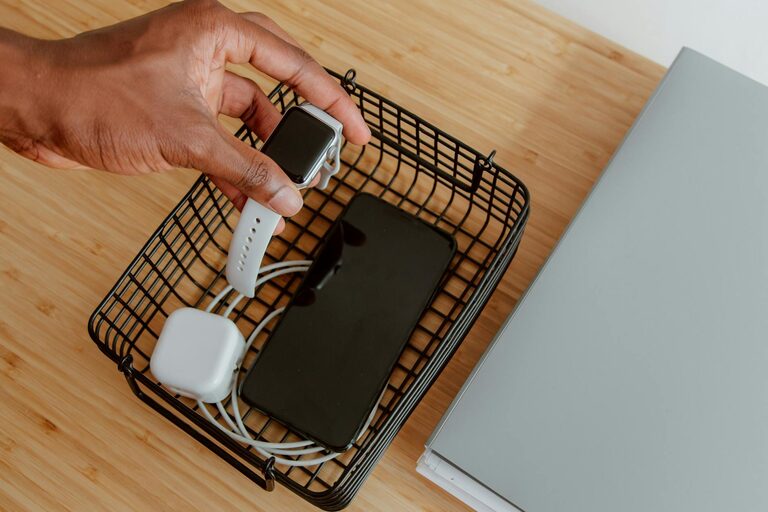
Keeping cables and chargers organized can feel like a constant battle. Whether it’s in your home office, living room, or kitchen, tangled cords not only look messy but can also cause frustration when you need to find the right charger quickly. Fortunately, with a few practical strategies and simple tools, you can tame the cable chaos and enjoy a neat, accessible setup.
Why Organize Your Cables and Chargers?
Before diving into methods, it helps to understand the benefits of cable organization:
– Saves time because you can find what you need without untangling a mess.
– Protects devices by preventing bending or damage to cables.
– Improves safety by reducing tripping hazards.
– Enhances appearance creating a clean, clutter-free environment.
Now, let’s explore how you can organize your cables and chargers effectively.
Steps to Organize Cables and Chargers Neatly
1. Gather and Sort Your Cables
Start by collecting all your cables and chargers in one place. Group them by type—for example, phone chargers, laptop cables, USB cords, HDMI cables, and power cords. This sorting simplifies organization and storage.
2. Declutter: Keep What You Need
After sorting, evaluate each cable’s usefulness. If a cable is damaged or outdated, it’s best to recycle or discard it responsibly. This step reduces clutter and saves space.
3. Label Your Cables
Labeling cables helps identify them quickly. You can use:
– Pre-made cable labels or tags
– Masking tape with handwritten descriptions
– Color-coded bands or stickers for different device types
This method prevents confusion especially when you have multiple similar cables.
4. Use Cable Organizers and Accessories
There are many affordable and effective products to keep cables neat:
– Cable ties or Velcro straps: These bundle and secure cables together.
– Cable sleeves: Zip up multiple cables into one clean tube.
– Cable clips and holders: Attach these to desks or walls to keep cables in place.
– Cord organizers or boxes: Hide power strips and excess cable length inside.
5. Wind Cables Properly
Learn to coil cables without causing damage:
– Use the over-under method to avoid twists.
– Avoid tight loops that strain wires.
– Keep cables loosely rolled and secure them with Velcro straps.
6. Store Chargers and Small Accessories Together
Use clear containers, drawer dividers, or dedicated boxes to store chargers and adapters. Keeping them together by device type makes retrieval easy.
Tips for Organizing Cables in Common Areas
Office Desk
– Route cables behind your desk using adhesive cable clips.
– Use a cable management box for power strips under the desk.
– Mount a cable tray or basket underneath the desk to hold cables off the floor.
Living Room or Entertainment Center
– Bundle TV, gaming, and audio cables using sleeves.
– Label cables to match devices.
– Use decorative boxes or baskets to hide excess cable length.
Travel and On-the-Go
– Use compact cable organizers or pouches.
– Pre-wrap chargers in small loops secured with ties.
– Carry only necessary cables to reduce bulk.
Maintaining Your Cable Organization
Once organized, it’s easy to slip back into old habits. To maintain order:
– Conduct a quick cable check every few months.
– Replace worn-out or missing labels promptly.
– Store new cables properly immediately after use.
– Avoid overloading power strips and cable organizers.
Final Thoughts
Organizing cables and chargers doesn’t have to be overwhelming. By sorting, labeling, managing, and storing them thoughtfully, you can eliminate clutter and improve the functionality of your space. Start with small steps today and enjoy a tidier, safer, and more efficient environment.
Remember, neat cables are just the beginning of a well-organized space!